Transform Your Screen into Speech

Select any area of your screen and have it read aloud instantly. Perfect for accessibility, learning, or multitasking.

Download Now
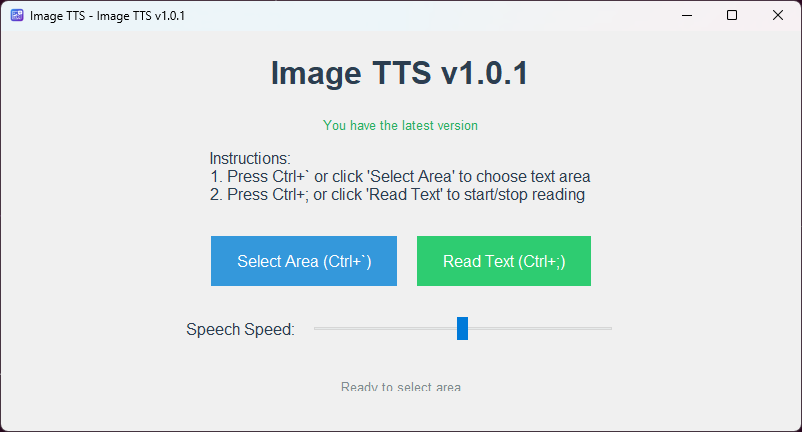
See It In Action

Image TTS Application Interface

Clean, intuitive interface with easy-to-use controls

Key Features

Easy Selection

Simply press Alt+Shift+X to select any area of your screen

Instant Reading

Press Alt+Shift+S to start reading the selected text

Adjustable Speed

Customize the reading speed to your preference

User-Friendly

Clean, modern interface with intuitive controls

How to Use

  1. Press Ctrl+` or click 'Select Area' to choose the text area you want to read
  2. Press Ctrl+; or click 'Read Text' to start reading
  3. Adjust the speech speed using the slider if needed
  4. Press Ctrl+; again to stop reading